

Case Management – Nonprofit Cloud Feature
Case Management Key Features
Nonprofit Cloud for Programs also has Case Management tools curated to help nonprofits better support their clients. Case Management is the long-term, hands-on support provided to help a specific individual or family toward an outcome or goal. It offers the following key features.
Care Plans
One can save time and improve consistency by creating Case Plans from templates and personalizing them to the client’s unique needs.
Key Jobs Supported:
- Track the client's goals and assign benefits/tasks to help the client work towards those goals.
- Create templates to serve standard client needs (e.g., job readiness template)
Dynamic Assessments
This feature allows you to quickly fill out assessments about clients and upload supporting files in a guided workflow.
Key Jobs Supported:
- Questions in the assessment form are updated dynamically regarding the answers to previous questions in the form.
- Upload files in the context of the assessment.
- Track whether a given client's required assessments have been completed via an action plan checklist.
Inbound Referrals & Intake
This feature lets you quickly get clients the proper support with a guided flow from referral to intake to enrollment.
Key Jobs Supported:
- Track inbound referrals
- Navigate through the intake process, completing any necessary intake assessments.
- Set up eligibility criteria to evaluate intake against.
Interaction Summaries
This feature allows you to capture notes about the client and view them in chronological order to familiarize yourself with note history.
Key Jobs Supported:
- Document notes about what took place during a given interaction with a client.
- Get up to speed on historic notes taken about a client, case, intake, etc.
Case Tracking
This feature ensures that the right people have access to the correct information to keep clients on track
Key Jobs Supported:
- Create a Case spanning one or more programs.
- Assign considerable case participants (for instance, the client and their primary caretaker)
- Assign a case team of service providers to support the client.
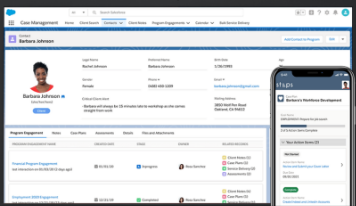
Participant Profile
Get up to speed on a client with visual tools showing a 360 view of their engagement.
Key Jobs Supported:
- See a timeline of touch points involving the client.
- View key life events (for instance, when employment ended, the client moved to housing, etc.)
- Visualize the relationships between the client and others in their lives (e.g., family, employer)
Complaints
Track unexpected incidents during the program to ensure the correct follow-up steps can happen.
Key Jobs Supported:
- Track incident details (location, participants, date)
- Create an action plan for the tasks needed to follow up on the incident.
Advantages of Case Management
- Get to know your clients' unique circumstances. With visual tools, Case Managers can quickly learn about their client's unique circumstances and the areas where they need support, creating personalized services despite large caseloads.
- Reduce data entry—With case management's guided intake and assessment flows and templates for creating care plans, case managers can input data quickly and keep it in line with their workflows. This allows them to focus more on the clients.
- Deliver consistent client experience – handling many different cases can rattle case managers; therefore, they may forget a step or two. Using templates and Action Plans, your managers can keep track of critical tasks while working on cases.
