Salesforce Sharing, Visibility and Security Management
Security Model
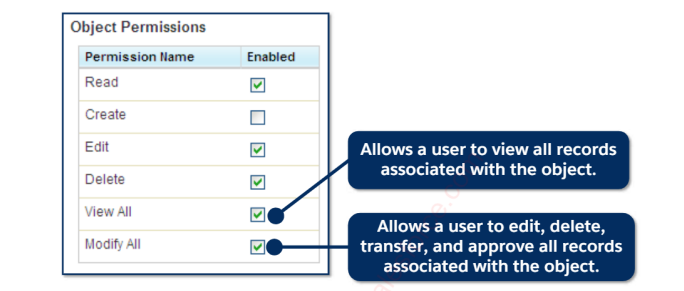
- Permissions for Users and Objects
- Permissions for Fields
- Permission Sets & Pater Profiles
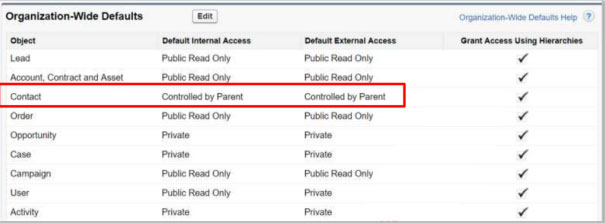
- Wide-ranging Defaults (OWD)
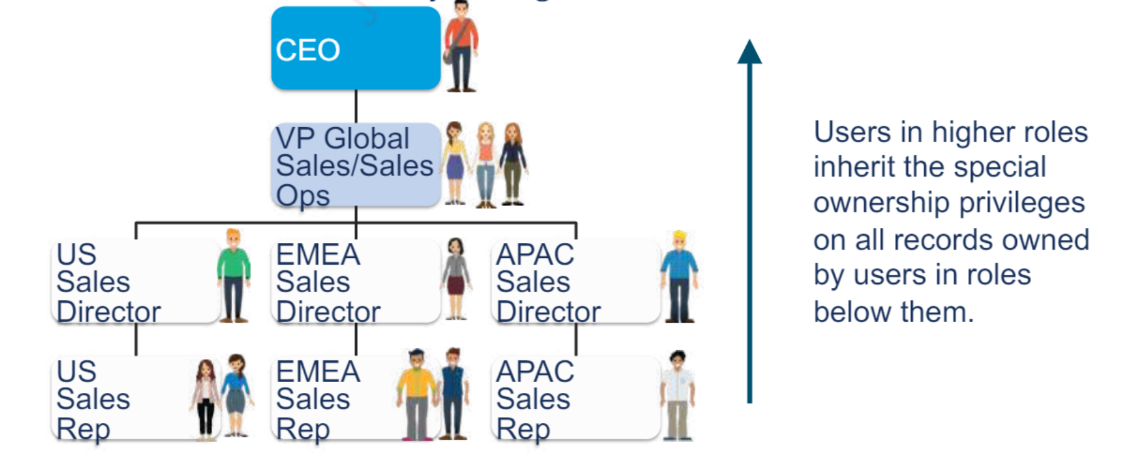
- Implicit Sharing in Role Hierarchy
- Other Sharing Mechanisms
- Access to the Record (without all fields)
- Protecting Personal Information
After this module, what are your options?
- After this module, what are your options?
- Provide record-level access through declarative sharing;
- Make advantage of sophisticated and programmatic record-level access.
- Manage sensitive and secret information in Salesforce.
- Restrict access to a subset of an object's fields.
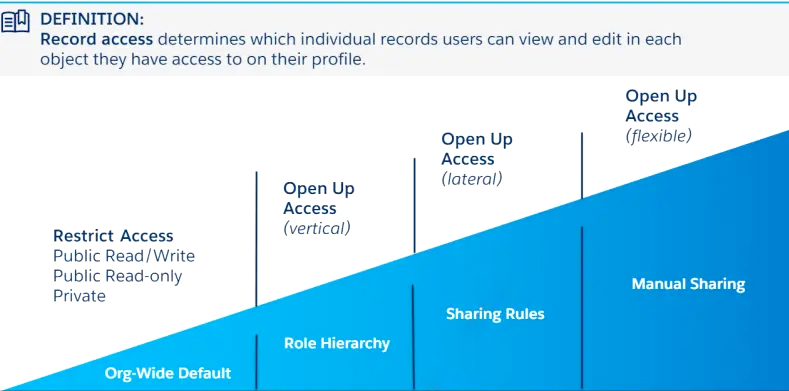
Levels of Record Access
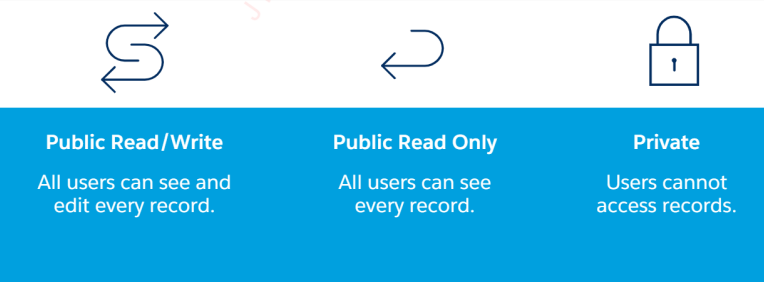
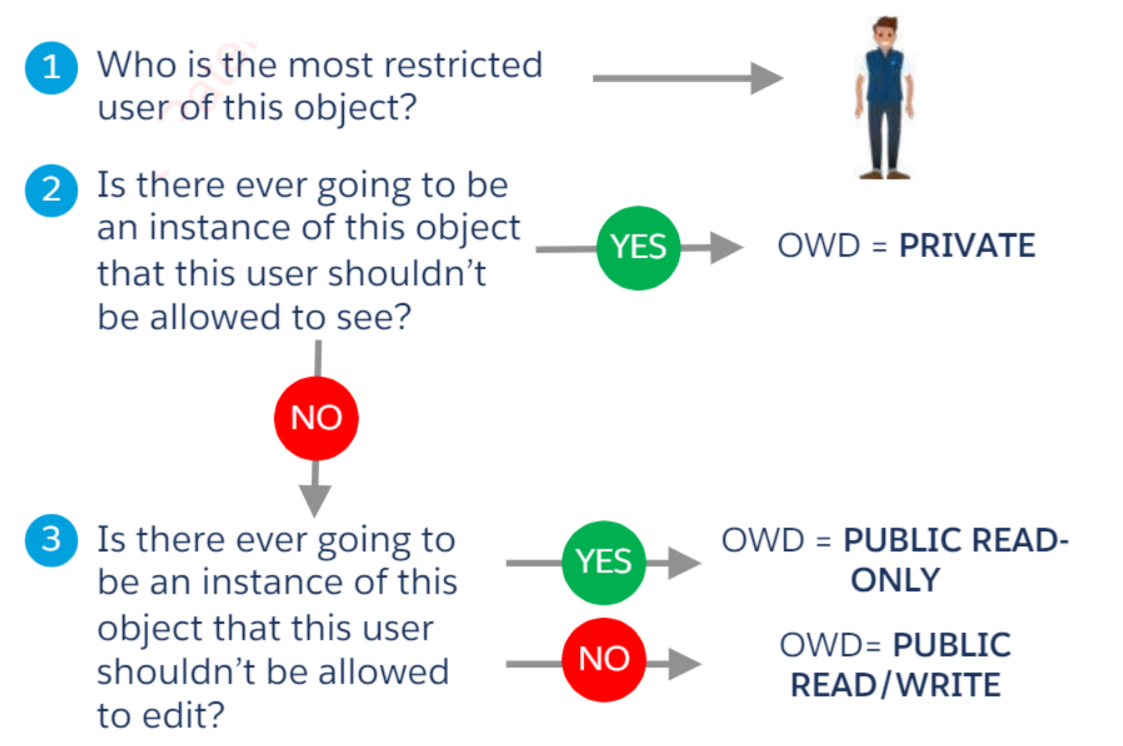
When figuring out what types of records certain user groups require access to, a data access model is a helpful place to start. It provides a high-level explanation of your data access requirements. Three categories exist:
Access to the records is unrestricted. Any record that their profile permissions permit can be viewed and edited by users. This is Salesforce’s default model.
Users cannot view other users’ records in reports or search results; they can only view the records they own.
Both private and public access are combined here. Users can only view their own records and those of other users that are required for them to perform their duties.
Why Would You Use a Private or Hybrid Model?

Security
Only the records that users should see are displayed. Use it if you have sensitive or private information.

Visibility
Only the records that users require are visible to them. List views, searches, and reports, for instance, only display pertinent records.
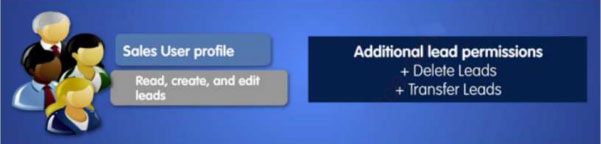
Profiles
Profiles specify:
- how users can interact with the application
- how they can access objects and data
- Each user must have a profile when they are created.
Profile types:
- Salesforce provides standard profiles by default
- Which are unchangeable
- Have default permissions for the entire platform.
- Users have defined custom profiles. Standard items that are accessible on
- Can be removed if no users are assigned to it.
Profiles – What do they Control?
- Object permissions
- Field permissions
- User permissions
- Tab settings
- App settings
- Apex settings
- Visualforce page access
- Page layouts
- Record Types
- Login hours
- Login IP ranges
Field-Level Security
Regulates which fields are viewable and editable by a profile or permission set.
Overrides any search and page layouts’ less restricted field access settings. is always followed, regardless of how a user accesses Salesforce, including:
- The arrangement of the page
- A list of related items
- Report: ΑΡI
Controlled by Parent Implications
When Controlled by Parent is selected as the organization-wide default for an object, all record access is dictated by the user’s access to the parent record.
It is possible to set Contacts, Activities, and Orders to Parent Control.
The parent automatically controls all custom detail objects.
Sharing Rules
To give groups of users object-by-object additional record access, create sharing rules. Rules for sharing are:
- Exceptions to defaults for the entire organization.
- Not relevant to models of public data access.
- Consisting of three parts.
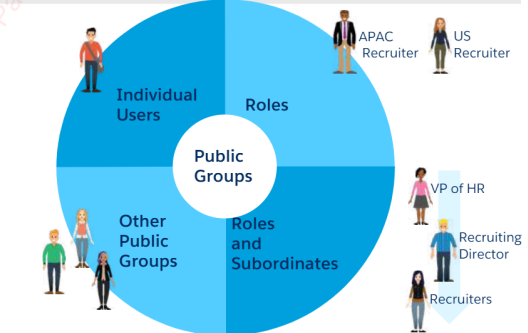
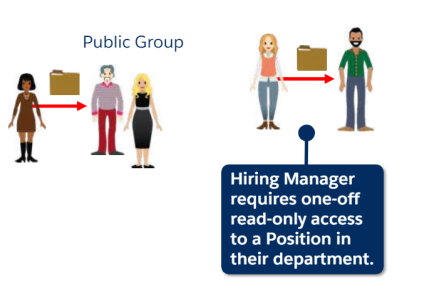
Public Groups
Public groups are used in: Sharing rules
- Apex Sharing
- Manual sharing
- Folder sharing
- CRM Content
- Knowledge
Grant Access Using Hierarchies can be disabled for a public group.
Manual Sharing Allows for Flexibility
Sometimes identifying a consistent user base or set of standards for exchanging records might be challenging.
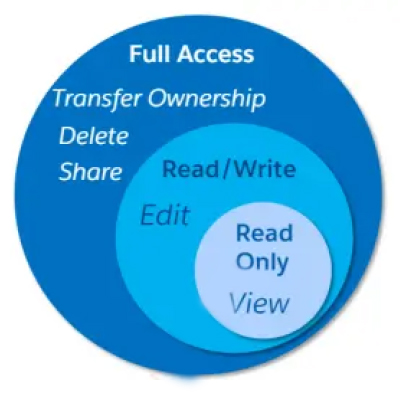
Individual users, roles, and public groups can be granted read and modify permissions on specific records by record owners through manual sharing.
Use the Lightning Components found on AppExchange to enable manual sharing in Lightning Experience.
Account Teams
Give users more access to their accounts and associated documents by enabling account teams. Administrators, account owners, and their managers in the role hierarchy:
- Assign team roles and manually add or remove team members.
- Give every team member read-only or read-and-write access to the account and all of its contacts, opportunities, and cases.
- Make a default team for yourself that can be added immediately.
Opportunity Teams
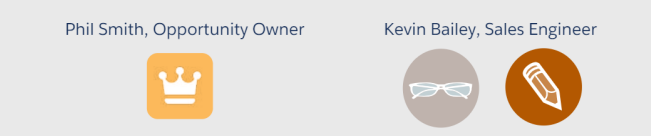
Give users the ability to provide others more access to their opportunities by enabling opportunity teams. Administrators, opportunity owners, and their managers in the position hierarchy can:
- Assign team roles and manually add and delete team members from an opportunity’s sales team.
- Provide read-only or read-and-write access to the chance for every participant.
- Make a preset sales team for yourself that may be added immediately.
Securing Private Data with Sheild
Platform Security
- Encrypts your most sensitive data at rest natively across all Salesforce apps.
- Assists in safeguarding proprietary, sensitive, private, or PII data.
- Observe internal and external data compliance regulations.
Trail of Field Audits
Observation of Events
Sharing Concepts in Communities
Communities & Sharing
Functional Access for External Users
Access to External User Data
After this module, what are your options?
Recognize the sharing options available to members of the Customer Community
Recognize the sharing protocols for members of the Partner Community
Determine whether programmatic sharing should be used for
users in the community
External Users Functional Access
Partner
Recognize the limitations of your license.
- Companion
- Dashboards for Market Development Funds, Quotes, Leads, Opportunities, and Campaigns (Create)
Customer Plus
- Send emails, assign admins, and share roles and advice.
- Customer & Reports
Customers
- Tasks (Read), Events (Read), and Accounts (Read)
- Workflow (only submit)
- Sharing Groups and Sharing sets
External Users Data Access
- Salesforce user's account with role In the role structure, it generates up to three subroles
- Super user
- Make use of common sharing methods.
- External Organization Wide Default (equivalent to or more restricted than internal)
- Owner and Criteria Sharing Rules
- Sharing of Territory Management Manuals
- Sharing Apex
- Many Apex Sharing use cases are handled by Account Relationship (Spring 19).
- Accounts' business relationship
- The distributor must view client records. Rule for Sharing Account Relationship Data
- Account Relationship Related List