How to do Salesforce Discovery and Design
Estimated reading: 4 minutes
113 views
- Declaratively Solve.
- Taking Limits into Account Programmatic Development Reporting for User Types.
- Declarative Advantages and Drawbacks of the Platform Mechanism
What Kind of Customizations Can you Perform?
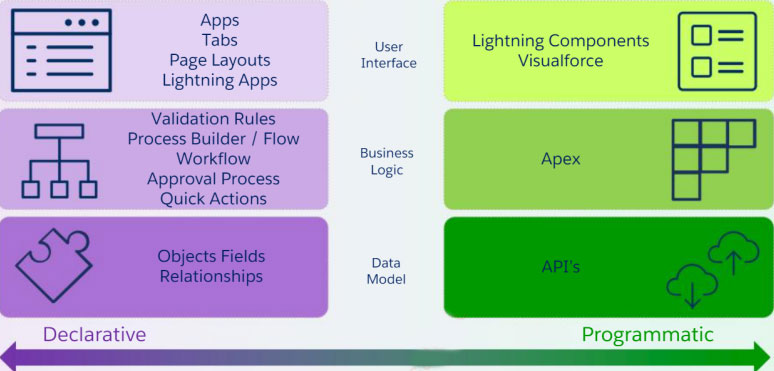
It is possible to adjust and personalize each of these layers:
Declaratively: utilizing the Salesforce application’s point-and-click interface, which eliminates the need for coding knowledge.
-Programmatically: through the use of code, such as that found in Apex, Visualforce, LWC, and APIs.
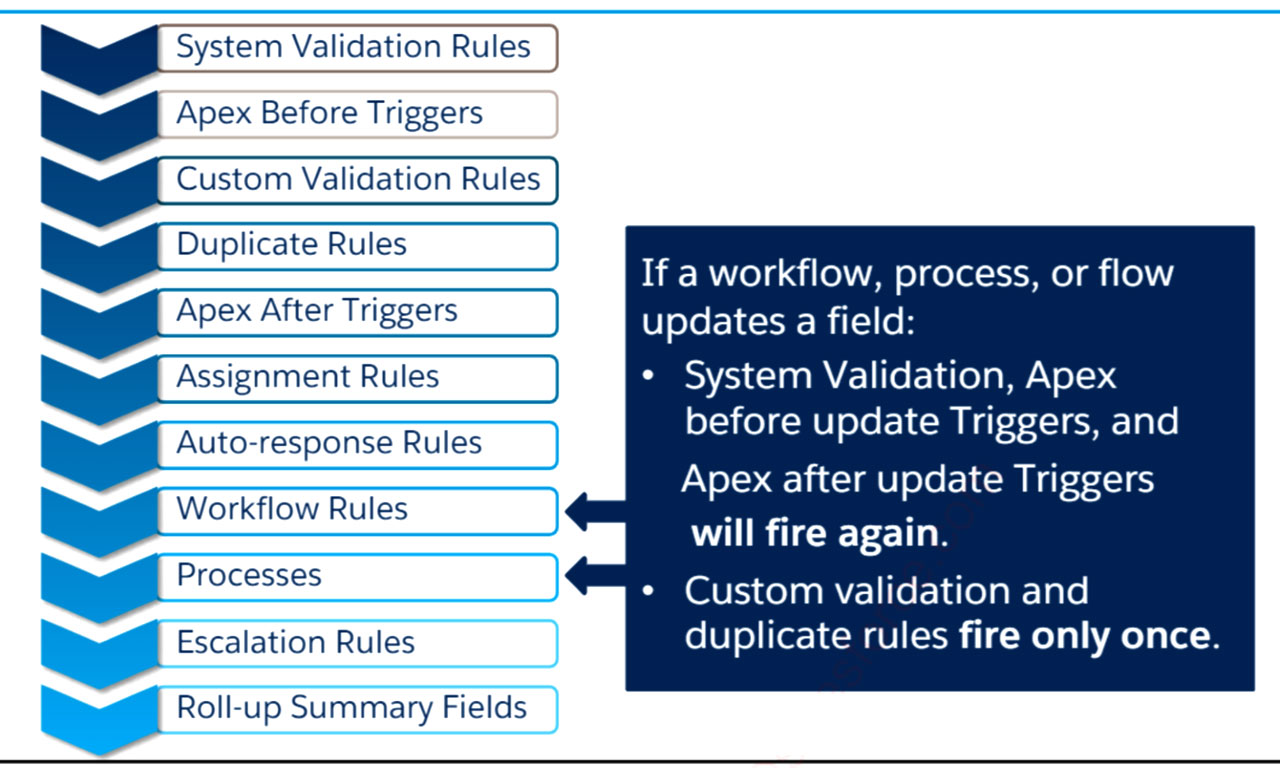
Validation Rules
Use validation rules to:
- Improve data integrity.
- Make a field conditionally required.
- Prevent the entry of invalid data values directly by users and other systems.
- Enforce role-specific, profile-specific, or user-specific constraints.
Validation Rules - Continued
- Validation rules verify that the data a user enters in a record meets the standards you specify before the user can save the record.
- A validation rule can contain a formula or expression that evaluates the data in one or more fields and returns a value of True or False.
- Validation rules also include an error message to display to the user when the rule returns a value of True due to an invalid value.
- Error message can be displayed directly below a specified field or at the top of the page. Multiple error messages may be displayed at one time.
- Standard and custom User merge fields for the current user are also available, allowing user- and profile-specific validation rules.
- IsChanged (field) function allows validation to be conditional based on whether a specific field value has changed.
- PriorValue (field) allows access to previous value of field.
- IsNew() allows different validation rules for create vs. update actions.
Process Builder
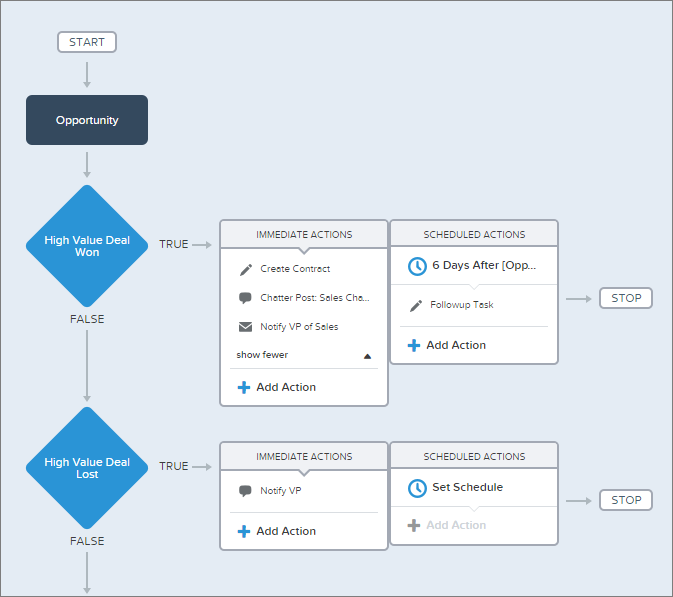
With Lightning Process Builder, you can use a visual interface to automate business processes.
When specific criteria are satisfied, processes enable you to take action.
- You can link actions to each criterion and create more groupings of criteria.
- You may design both scheduled and instantaneous actions.
- Versioning makes it simple to monitor and manage procedures.
Rollup Summary Field
- Shows the total, minimum, maximum, or record count of child fields.
- Adaptable to:
- Standard or custom master object to custom detail object
- Accountability Opportunities.
- Participants in the Campaign
- From Product to Opportunity
- Every time a referenced detail record is saved, the calculation is redone.
- Workflow rules can be triggered via it.
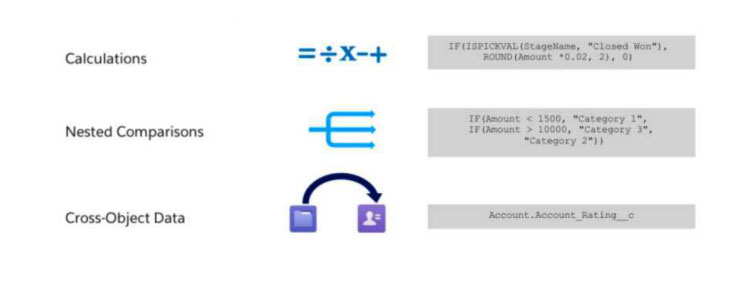
Formula Fields
Deterministic vs. Non-Deterministic Formula Fileds
Formulas that are not deterministic:
- Incorporate additional formula fields that extend over other entities; reference other entities (i.e., fields accessible through lookup fields).
- Make use of dynamic time and date functions (such as TODAY and NOW).
- With the exception of the Created Date and CreatedByID data, the formula contains owner, autonumber, divisions, or audit fields.
- Fields that Force.com is unable to index, such as binary fields (blob, file, or encrypted text), multi-select picklists, currency fields in a multicurrency organization, and extended text area fields
- Typical fields with unique features
- Opportunity: Quantity, Overall PossibilityAmount, Anticipated Income, IsClosed, IsWon
- Product: IsActive, Product Family
- Case: Closed Date, IsClosed
- Resolution: Lead for Status: Activity Status: TaskStatus, TaskPriority, Subject
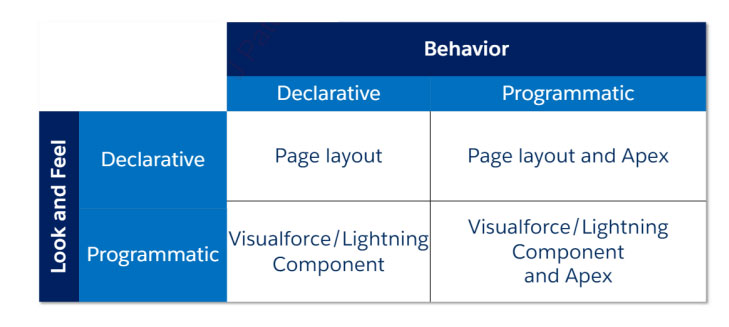
Declarative vs. Programmatic
Choosing between a visual force page and a Lighting Application
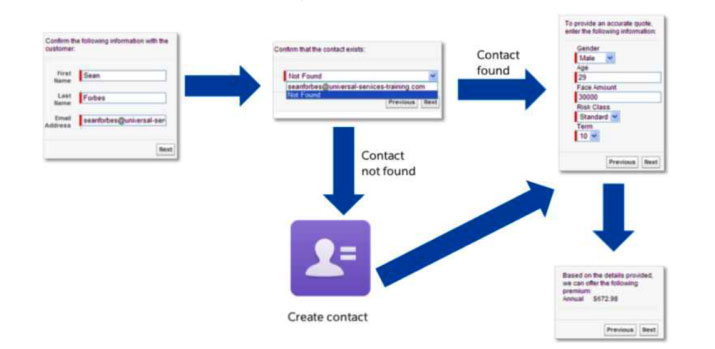
Visualforce:
- Stateful servers and page-centric
- Clients without a state.
- Excellent for desktop-accessed websites
Lightning
- Stateless servers and app-centric (single-page apps)
- Clients that are assertive
- Excellent for developing mobile apps
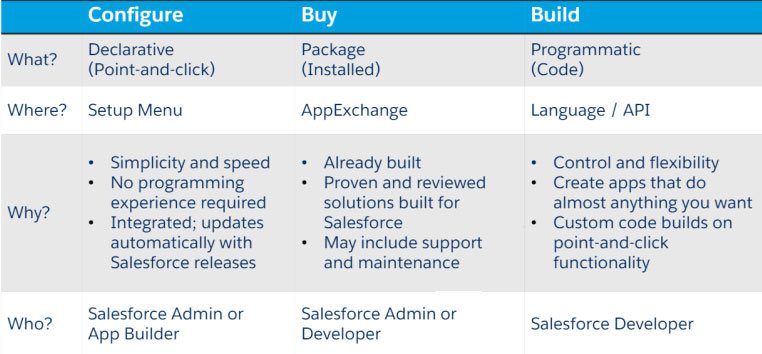
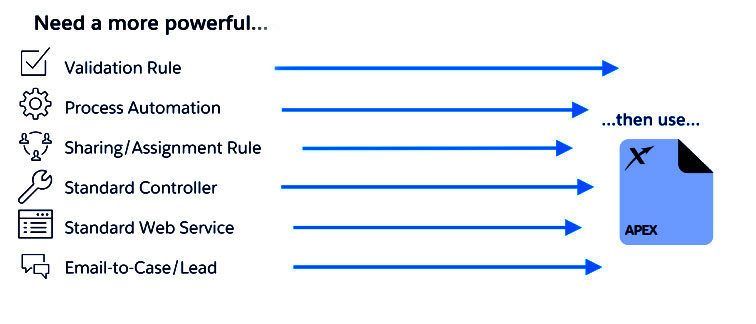
Which Approach should you Consider
Speed + Simplicity
Take full advantage of the Declarative capabilities of the Salesforce platform.
- Quicker than coding Maintaining the Salesforce platform is made easier with automatic access to feature set changes.
- No knowledge of code is necessary.
Personalized Features + Integration
For increased flexibility and more intricate reasoning, use programmatic adaptations.
- Greater command over the user interface.
- additional choices for integration.